New spsXChange - Communication with MS NAV and other databases
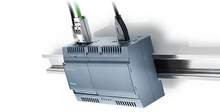
Our new standard product spsXChange enables the monitoring of Simatic modules via a browser, even on mobile devices.
Communication with CRM databases such as Microsoft NAV can also be set up. It is also possible to write data back to the Simatic via these interfaces. This allows production to be linked to your CRM.
spsXChange also allows the integration of scanners and cameras for more detailed production monitoring and control.
Find out more here.
Contact us
If you are interested in learning more about this topic or for a consultation, please contact us.
Mail: Contact form
By phone: 089/36103463
By fax: 089/36103465
FAQs
How does monitoring Simatic S5/S7 modules via a browser using spsXChange work?
spsXChange allows you to monitor Simatic modules directly through a web browser. This enables you to access relevant information without the need for special local software. It can also be used on mobile devices, which makes access particularly flexible. This allows production data and statuses to be viewed from anywhere. This supports modern and simple monitoring of Simatic S5/S7 environments.
Can spsXChange connect Simatic S5 / S7 to CRM systems such as Microsoft NAV?
Yes, spsXChange can be used to establish communication with CRM databases such as Microsoft NAV. These interfaces connect production to the CRM. This creates a direct link between manufacturing processes and business or organizational data. Optionally, it is also possible to write data back to Simatic. This results in seamless workflows between the control system and enterprise systems.
Is it possible to write data from a CRM back into Simatic S5 / S7?
Through the established interfaces, it is optionally possible to write data back to the Simatic. This allows not only reading data but also actively communicating with the controller. This write-back function supports processes in which information from the CRM is to be fed into production. This creates a much closer link between enterprise data and machine control. This opens up additional possibilities for integrated production control.
What are the benefits of mobile production monitoring with Simatic S5 / S7 and spsXChange?
Mobile production monitoring with spsXChange allows access to Simatic modules even via mobile devices. This makes it easy to retrieve important information via a browser. This increases flexibility because production data is not limited to a single, fixed workstation. Managers can view statuses and trends more quickly and respond more effectively. This makes monitoring more modern and better aligned with actual operational requirements.
Can scanners and cameras be integrated into a Simatic S5/S7 monitoring system using spsXChange?
Yes, spsXChange also allows you to integrate scanners and cameras. This enables more detailed production monitoring and control. Additional devices can help capture processes more accurately and present them more transparently. This is particularly useful when information from production—beyond just control data—is required. The result is an expanded solution centered on Simatic S5/S7 and digital monitoring.
Why Choose FSnD Simatic S5 / S7 Integration and Monitoring?
With spsXChange, FSnD offers a solution for monitoring Simatic modules via a web browser and on mobile devices. In addition, FSnD can set up communication with CRM databases such as Microsoft NAV. The optional feature of writing data back to Simatic is also available, allowing production to be directly linked to the CRM. Furthermore, the solution supports the integration of scanners and cameras for more detailed monitoring and control. Anyone seeking advice on Simatic S5/S7 and compatible interfaces will find a specialized contact at FSnD.